Wingaga Casino Mobile Application Capabilities for Users in Switzerland
Wingaga Casino Mobile Application Capabilities for Users in Switzerland
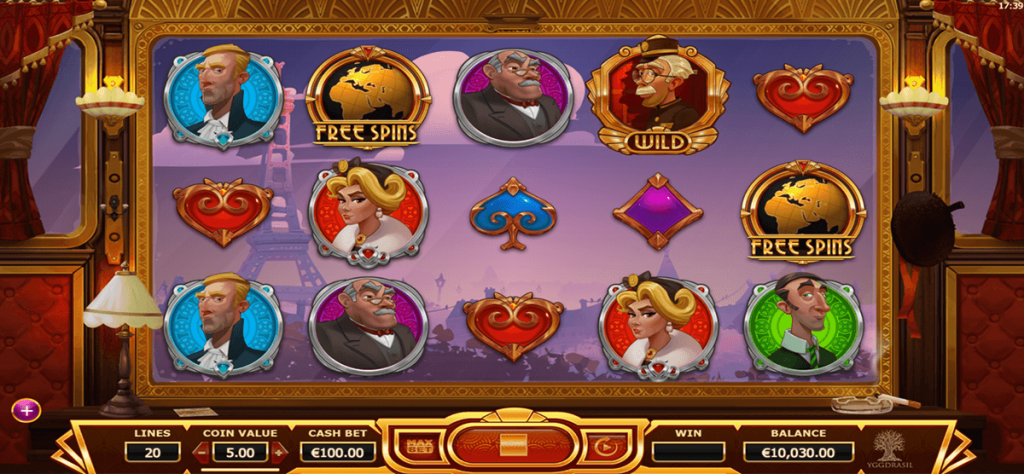
We at Wingaga Casino understand that modern players require adaptability without compromising on protection or gaming options. That is why we have developed a dedicated mobile app that provides our full gaming portfolio straight to your mobile phone or tablet. If you love playing slots on your travel or betting live from the comfort of your residence, our app offers a seamless, fully-featured casino experience customized for Swiss users. We have invested heavily in performance optimisation, guaranteeing seamless gameplay even on older devices, while preserving the full range of games, secure payment methods, and safe gaming features you expect from Wingaga Casino. In this walkthrough, we walk you through everything required about getting, setting up, and getting the most of our mobile platform. From system requirements to exclusive in‑app features, we discuss the particulars that count so you can begin playing with confidence.
Efficiency, Data Usage, and Connection Stability
We recognize that a casino app is only as good as its real‑world performance. That is why we have centered on making the Wingaga Casino app streamlined and efficient, without sacrificing on visual quality. On a typical 4G connection, the app uses around 2–5 MB per minute during slot play and approximately 8–15 MB per minute for live dealer streams at medium quality. These figures can vary based on the game and your settings, but we have implemented data‑saving options that allow you to cap video resolution for live games, reducing consumption by up to 40%. Even on slower networks, the app’s predictive loading keeps gameplay smooth by pre‑fetching game assets in the background when you are browsing the lobby. In our internal testing across various Swiss mobile networks, we found that the app consistently maintains a low‑latency connection, with response times fast enough to place live bets without perceptible lag. This reliability is essential when you are participating in time‑sensitive games like Lightning Roulette or game shows where rounds move quickly.
Battery and resource usage are equally significant. We have refined the app to minimise CPU load during idle periods, and the screen brightness automatically dims slightly after a period of inactivity to preserve power. On a fully charged modern smartphone, a one‑hour slot session typically consumes around 10–15% of battery life, which is in line with other high‑performance entertainment apps. The app also respects your device’s performance mode, so background processes are suspended when you switch to another app, avoiding unnecessary drain. If you face any performance hiccups, clearing the app cache from the settings menu often resolves them, and we provide a one‑tap cache clear option within the app’s support section. Although real‑money play requires a live connection, the app caches interface elements and game thumbnails, so scrolling through the lobby feels effortless. If your connection drops momentarily during a slot spin, the app safely keeps your state and resumes once the network is restored, so you never lose a bet outcome.
Hardware Compatibility and System Requirements
To enjoy the Wingaga Casino mobile app smoothly, it is essential to confirm that your device satisfies our specified specifications. We have developed the app to function effectively on a wide range of smartphones and tablets, but a few essential requirements ensure optimal performance. For Apple users, the app is available with iPhones and iPads operating iOS 13.0 or later. We frequently test on devices from the iPhone 8 onwards, and the performance remains fluid on newer models. Android users require a device with version 8.0 (Oreo) or higher, and we advise at least 2 GB of RAM for efficient multitasking during live dealer sessions. The app is lightweight, requiring around 150 MB of free storage space, though this may differ slightly with updates. We always suggest keeping your operating system updated to the latest version to benefit from security patches and performance improvements.
- Apple iOS: version 13.0 or later, iPhone 8 / iPad (5th generation) and beyond
- Android: version 8.0 or later, 2 GB RAM advised
- Memory: approximately 150 MB free space
- Consistent internet connection (Wi‑Fi, 4G, or 5G)
While these are the baseline specifications, we have also optimised the app for larger tablet screens and foldable devices, intelligently modifying the layout for easy one‑handed or landscape use. We appreciate that many Swiss players employ a mix of personal and work devices, so we have evaluated the app across popular brands including Samsung, Huawei, Xiaomi, and Google Pixel. Regardless of manufacturer, as long as the Android OS meets the version requirement and Google Play Services are working, the app should set up and function properly. For iOS, the app is made available through the official App Store, ensuring a verified and malware‑free download every time. If you are using a device that falls somewhat below these requirements, you may still set up the app, but we cannot assure the same level of performance during high‑definition live streams or complex slot animations. For the most recent compatibility details, please visit the official Wingaga Casino mobile page, where we publish any changes following major OS releases.

How to Install and Install the Wingaga Casino App
Getting the Wingaga Casino app onto your mobile device is a easy process that we have made as safe as possible. Depending on whether you use an iOS or Android device, the installation method differs slightly, but both take only a few minutes. We never require a fee for the app, and you can always access the official download links on our website. We have designed the installation flow to be simple, but we advise you to follow our recommended steps to avoid third‑party imitations. Below, we detail the exact procedure for each platform.
- Regarding iOS (iPhone/iPad): Access the App Store on your gadget and browse for “Wingaga Casino.” Confirm that the developer is listed as Wingaga Casino to ensure authenticity. Tap “Get” and authenticate with Face ID, Touch ID, or your Apple ID password. Once the download completes, the app icon will show up on your home screen. Open it, login with your current credentials or set up a new account, and you are prepared to play.
- For Android: As many app stores block real‑money gambling software, we offer our Android app right through our official website. Access wingagas.com from your mobile browser and move to the mobile app section. Tap the “Download for Android” button to download the APK file. Before loading, you may need to enable installations from unknown sources: go to Settings > Security (or Apps & notifications > Special app access on newer devices) and enable “Install unknown apps” for your browser. Then identify the downloaded APK in your notifications or file manager, tap it, and follow the on‑screen prompts. The app will set up and show up in your app drawer.
We apply every measure to ensure the APK file is cryptographically verified and free from tampering. After installation, we recommend disabling the “unknown https://www.ilfattoquotidiano.it/2023/10/19/calcioscomesse-scommesse-minacce-nicolo-fagioli-procura/7328315/ sources” setting if you turned on it temporarily, as an extra security measure. The Android app receives the same regular updates as the iOS version, but you may have to manually download a new APK for major version upgrades if your device does not enable in‑app updates. Throughout the process, avoid fetching the Wingaga Casino APK from third‑party sites; always use our official domain. Once installed, the app will lead you through a short setup that encompasses picking your preferred language, establishing deposit limits, and activating biometric login for faster access. We also suggest joining to a reliable Wi‑Fi network during the initial download to avoid mobile data charges, even though the APK file is compact. If you experience any installation errors, our customer support team can assist you through troubleshooting steps, which often involve emptying your browser cache or freeing up storage space.
Remarkable In-App Features That Elevate Your Play
The Wingaga Casino app is not just a scaled‑down version of our desktop site; it is a specialized platform that leverages mobile hardware to offer a enhanced gaming experience. From the moment you log in, you will notice a clean, touch‑friendly interface that keeps your top games within thumb’s reach. We have incorporated a smart search and filter system that trust.ansa.it allows you to swiftly locate slots, table games, or live dealer rooms by provider, popularity, or feature. The lobby updates in real time, so you never miss freshly added titles or time‑limited promotions.
- Biometric login for immediate access
- Personalizable push notifications for bonuses and events
- Entire catalogue of slots, table games, and live casino
- Flexible live streaming that optimizes to your connection
- Integrated deposits and withdrawals with all major payment methods
- Included responsible gaming limits and reality checks
One of the most impressive aspects of the app is how it handles live dealer games. Our streaming technology dynamically adjusts video quality to match your network conditions, vedi qui, so you can have a fluid, real‑time blackjack or roulette session even on a 4G connection. The betting interface is displayed elegantly, letting you to place chips with a single tap while still seeing the dealer and table clearly. All payment methods you trust on desktop—including e‑wallets, credit cards, and bank transfers—are fully integrated, and every transaction is secured by the same SSL encryption. You can deposit, withdraw, and review your balance without ever leaving the app, and our support team is just a tap away via live chat. We have also guaranteed that the app stores your preferred game categories and recently played titles, so you can resume a session exactly where you left off. The search function supports partial titles and provider names, making it convenient to find a specific slot from the hundreds available. For players who value speed, the app loads games significantly faster than a mobile browser because many assets are cached locally after the first launch.
Distinctions Between the Mobile App and the Desktop Website
While your Wingaga Casino account, balance, and bonuses are the same across all platforms, the mobile app introduces several improvements that are not accessible on the desktop website. The most apparent difference is the interface: we have updated the navigation to work with touch gestures, using a bottom tab bar for quick access to the lobby, promotions, cashier, and account settings. Swiping left or right lets you browse game categories, and a long press on a game tile shows a preview and the option to add it to your favourites. These natural controls make one‑handed play comfortable, which is especially helpful when you are on the move. Another key difference is the app’s ability to send push notifications. Unlike the desktop site, which counts on email or browser alerts, the app can deliver real‑time updates about new game releases, customized bonus offers, and withdrawal confirmations directly to your device’s notification centre. You can fine‑tune which notifications you receive in the app’s settings, guaranteeing you only get the information that is relevant to you. This direct communication channel enables you never miss a time‑sensitive promotion, such as a weekend reload bonus or a tournament with a limited entry window.
Performance is another area where the app has an edge. Because many graphical assets are stored locally after the initial installation, game loading times are noticeably shorter compared to a mobile browser. The app also preserves a persistent login session, so you do not have to re‑enter your credentials each time you open it—biometric authentication makes this even more efficient. On the desktop site, you may occasionally need to log in again after a period of inactivity. Additionally, the app’s dedicated video player for live casino streams is fine‑tuned for mobile hardware, resulting in smoother playback and lower battery consumption than streaming through a browser. However, the desktop version still gives the advantage of a larger screen for multi‑table play and detailed game statistics. We advise using both platforms depending on your situation: the app for convenience and speed, and the desktop site when you want a broader overview or are playing from a stationary setup.
Ensuring Your App Current and Protected
Running the latest version of the Wingaga Casino app is crucial for enjoying new functions, security patches, and the full game catalogue. We roll out updates on a regular basis—typically every few weeks—to bring in new slot titles, improve performance, and address any reported issues. For iOS users, updates are provided automatically through the App Store if you have automatic updates enabled. You can also manually check by opening the App Store, tapping your profile icon, and scrolling to see if a Wingaga Casino update is available. We advise enabling automatic updates to guarantee you never miss a critical security fix. On Android, the update process varies by how you installed the app. If you downloaded it from our website, the app will look for updates each time you launch it and prompt you to download the latest APK when a new version is available. In some cases, you may be required to visit the official mobile page again and manually download the updated APK, especially for major version upgrades that demand a fresh installation. We always share significant updates on our website and via push notifications, so you are never left in the dark.
Security is at the center of our update policy. Each new version includes the latest encryption protocols and fixes for any vulnerabilities that could be abused. We strongly counsel against using outdated app versions, as they may not be compatible with our payment gateways or could expose your data to risks. If you ever believe that your app is not functioning correctly, the first step is to verify that you are running the current version by looking at the ‘About’ section in the app’s settings. Our support team can also confirm the latest version number. Additionally, we advise only downloading the app from official sources—the Apple App Store or our verified website—to avoid counterfeit applications that may endanger your account. By keeping your app up to date and adhering to these simple precautions, you ensure a safe and enjoyable gaming experience every time you play.
Frequently Asked Questions
Can I download the Wingaga Casino app for free?
Absolutely, the app is completely free. We do not charge fees for downloading or installing. You may download it from the official App Store for iOS or from our website for Android free of charge. Every game are available in demo mode, but real‑money play necessitates a deposit.
Do I use one account for the app and desktop?
Absolutely. Your Wingaga Casino account is integrated across all platforms. You are able to log in with the exact same username and password on the app, mobile browser, and desktop site. Your balance, bonuses, and game history are updated in real time, so you can switch devices seamlessly without losing progress.
How do I update the Wingaga Casino app?
For iOS, updates are handled through the App Store; enable automatic updates or look for updates manually. On Android, the app will notify you when a new version is ready. You may then download the latest APK from our official website. Always install updates promptly to benefit from security enhancements and new functionalities.
Is my personal and financial data safe on the app?
Yes, we utilize SSL encryption that meets industry standards to protect all data sent between your device and our servers. The app does not keep sensitive payment data locally. Moreover, biometric login provides an additional layer of security. We comply with strict data protection regulations, making sure your information remains confidential and protected at all times.
How should I handle an app crash or freeze?
First, try closing and reopening the app and restarting your device. If the issue persists, delete the app cache from the settings menu. Verify your operating system and the app have been updated. If problems continue, contact our round-the-clock customer support via live chat or email, providing details about your device model and the steps you took before the crash.